Let’s see if we’re a good fit
Watch your instructor arrive, see your lessons and credit, message your instructor, follow your progress and practise for your theory test, all on your phone.
Free for every DMW Driving School pupil

Every image below is a genuine screenshot of the pupil app. The names, lessons, messages and figures are sample data on a demo account. No real pupil's information appears on this page.
Live tracking
Once your instructor is a quarter of a mile from where they set off, you get a message and your app switches to a live map showing where they are and when they'll get to you. If they're starting closer than that, you just get the message with their arrival time. No more waiting at the window wondering if they're nearly there.
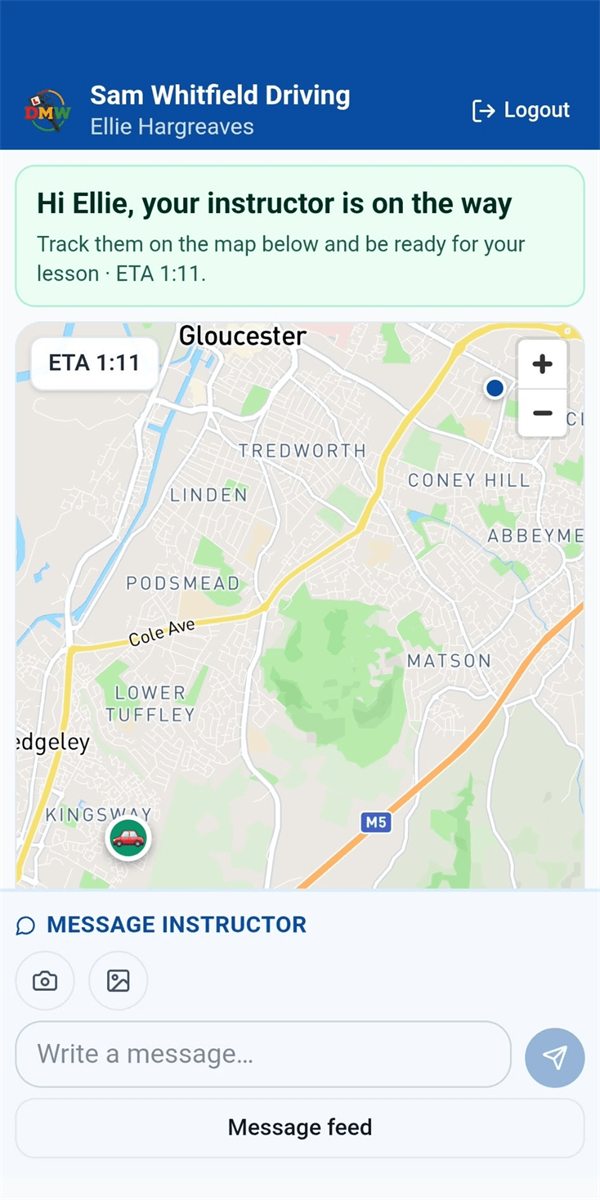
Real screenshot of the pupil app while the instructor is on the way.
Your lessons
Your home screen shows your upcoming lessons and how many hours of credit you have. If a lesson slot comes up, your instructor can offer it to you, and you accept or decline with one tap.
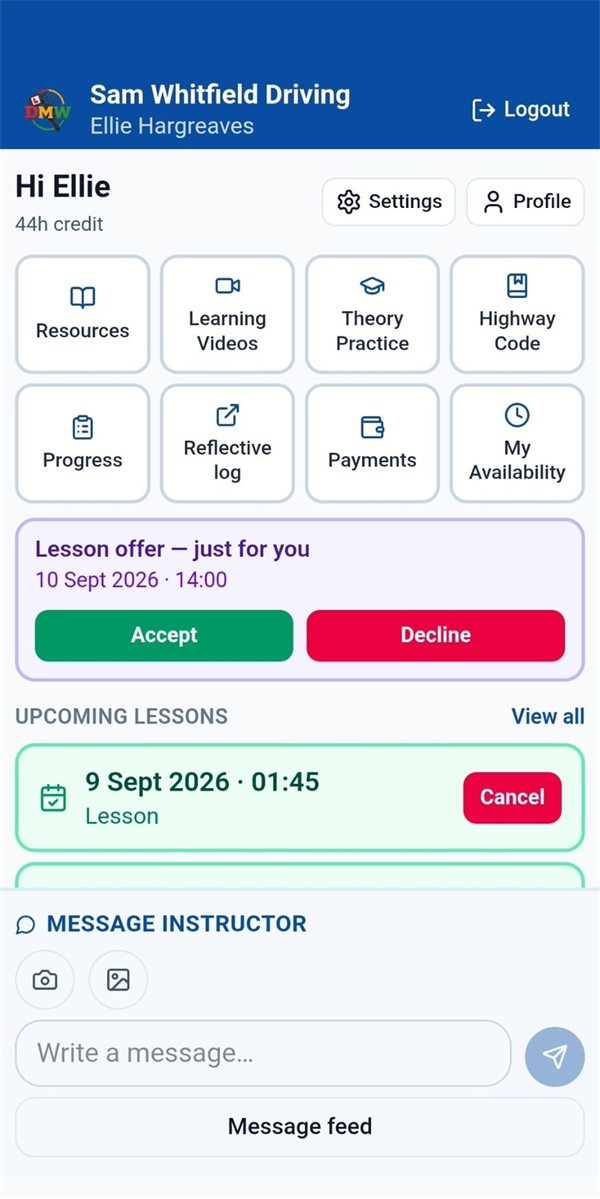
Real screenshot of the pupil home screen with a lesson offer.
Holidays & availability
Add your holiday in the app and it shows in your instructor's diary straight away, so nothing gets booked while you're away. When your instructor is away, you see it on your home screen too.
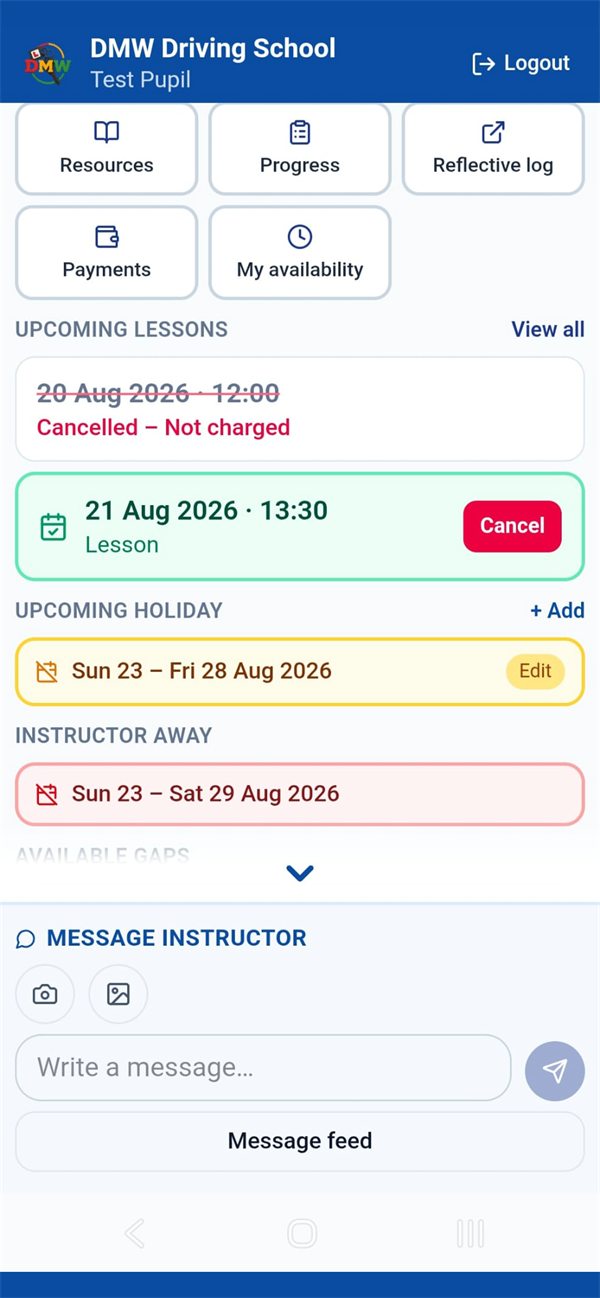
Real screenshot of the pupil home screen with a holiday booked.
Messages
Message your instructor in the app, send photos, and get a notification when there's a reply. Anything important pops up when you open the app, so you never miss it.
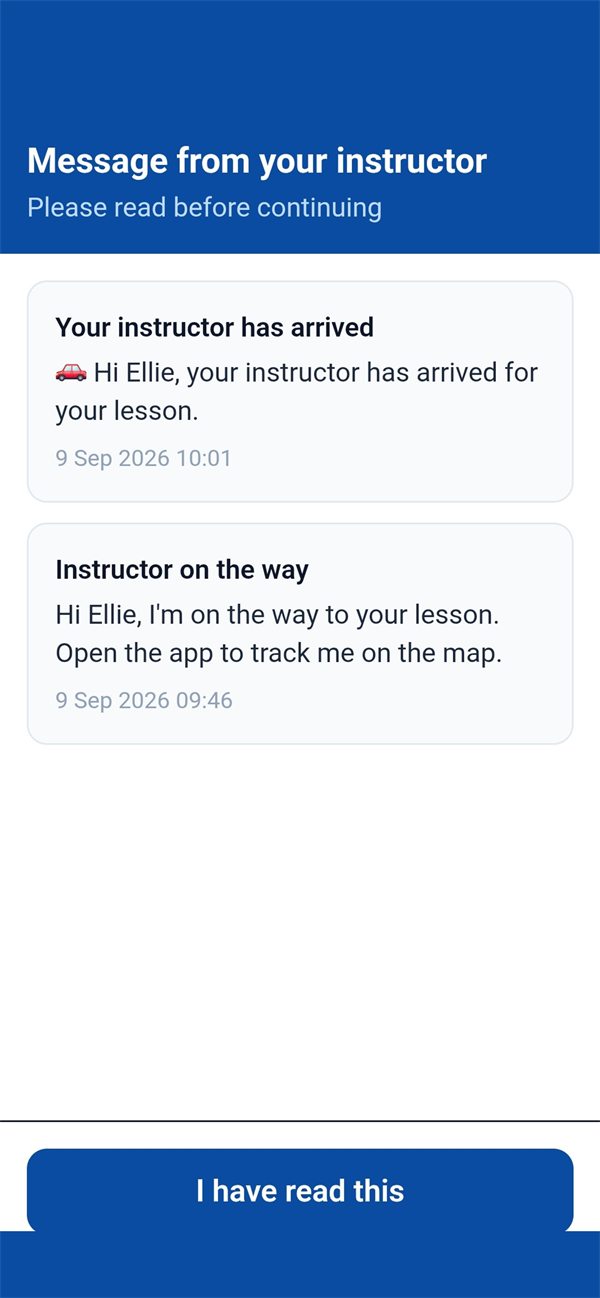
Real screenshot of messages in the pupil app.
Theory test
Practice questions by topic, mock tests marked like the real thing, and road signs to learn, with your progress saved as you go so you can see what still needs work.
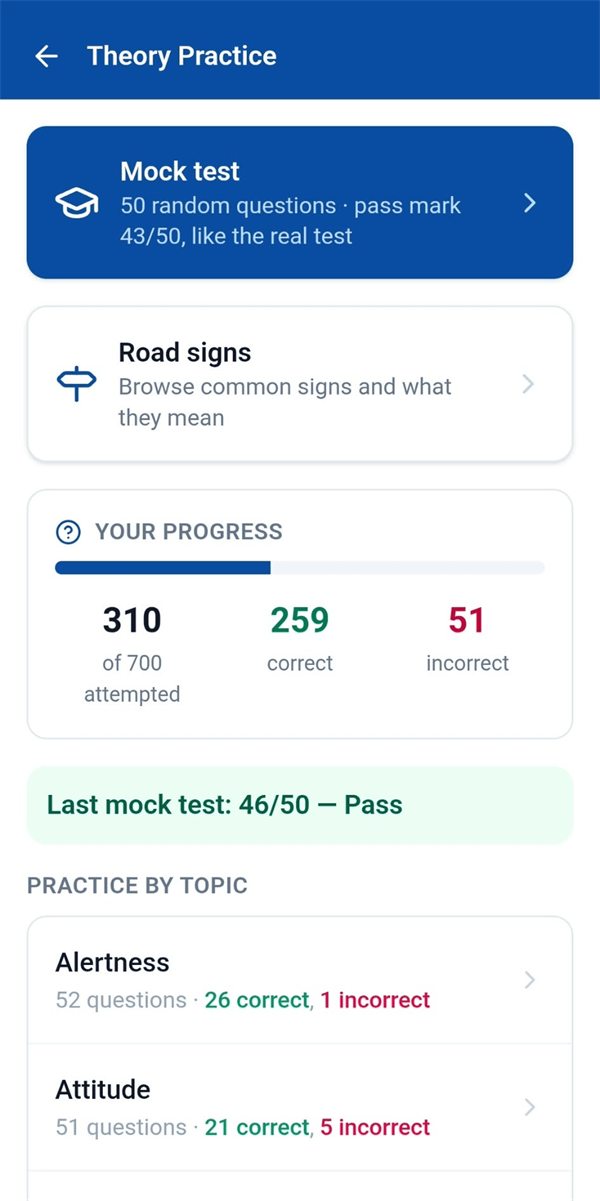
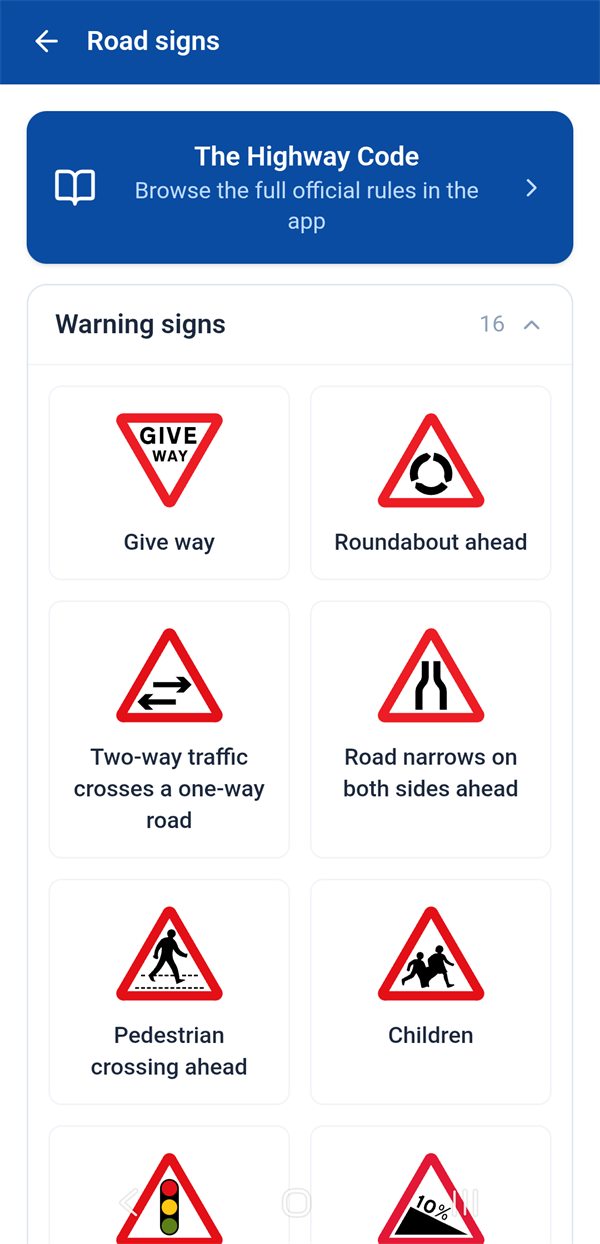
Real screenshots of theory practice and road signs.
Learning videos
Short videos on moving off, junctions, roundabouts, manoeuvres and more, so you can go over what you've learnt before your next lesson.
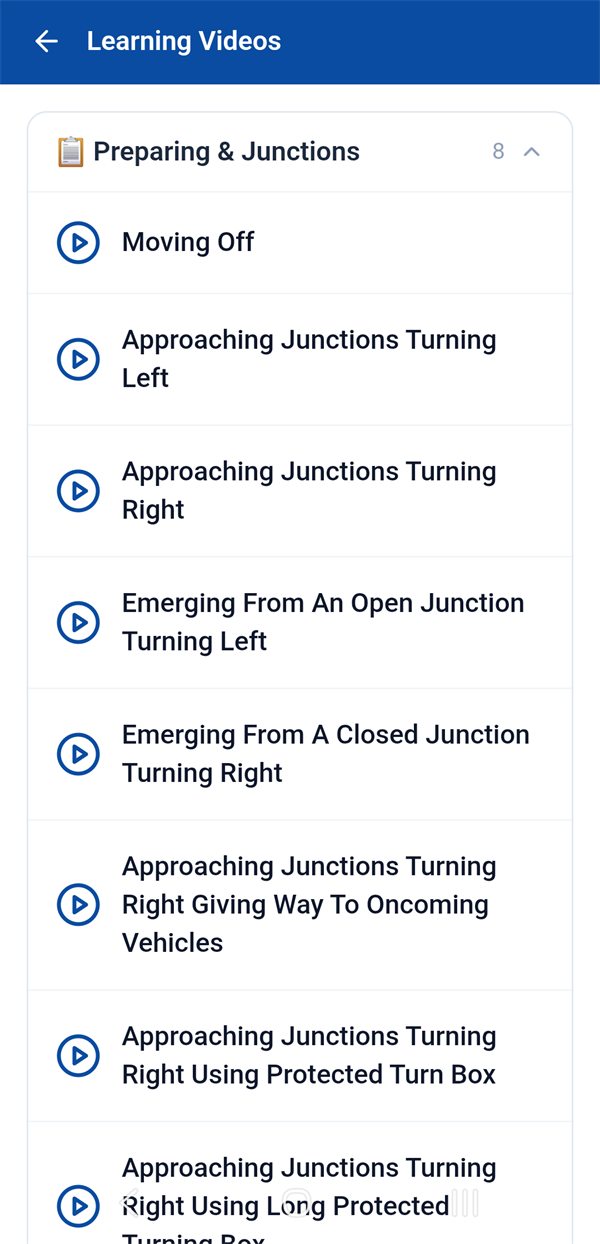
Real screenshot of the learning videos.
Highway Code
The official Highway Code, split into sections you can open any time. No separate book or app needed.
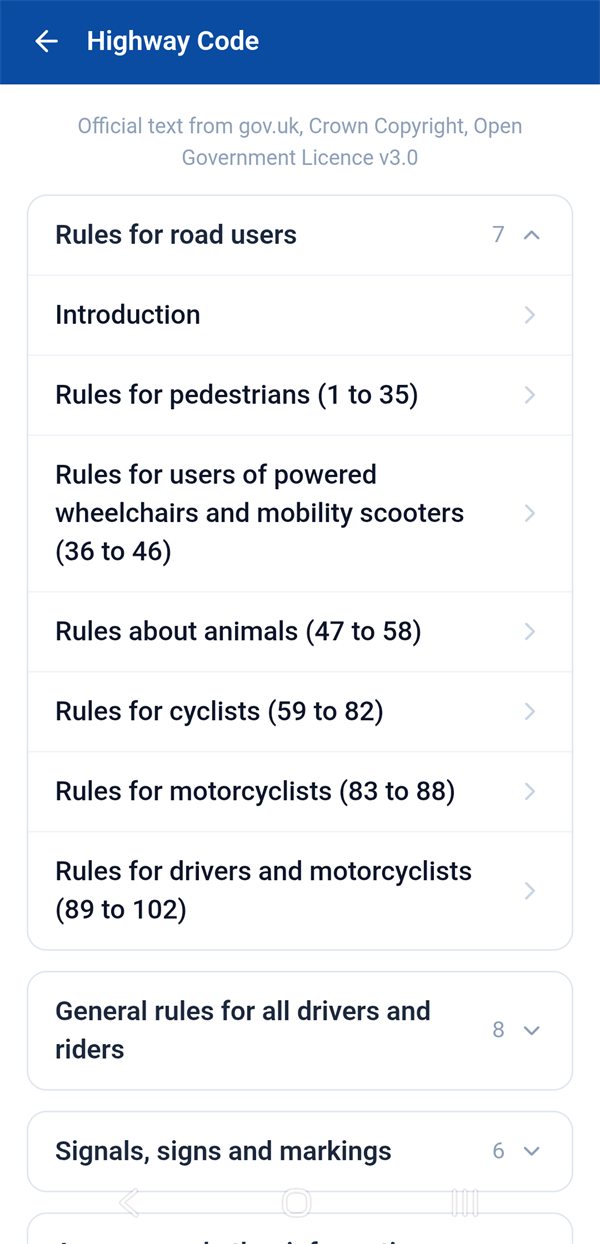
Real screenshot of the Highway Code section.
All included, free, for every DMW Driving School pupil.
Every skill your instructor marks, from introduced to independent, so you can see how close you are to test standard.
Your goal for each lesson, what went well, what to keep working on and the plan for next time.
Your payments and hours of credit, always up to date.
Tell your instructor which days and times suit you for lessons.
Know straight away when a lesson is booked or changed, or a message arrives.
Useful links and learning material from your instructor, in one place.
Book with a Grade A instructor in Gloucester and the surrounding areas, and get the Drive My Way app free.
📅 Check availability View prices